📸+🐾 Guide: Setting up a Camera Trap Project in Timelapse
Introduction
Timelapse is a Windows OS software for reviewing camera trap data and transforming raw image and video files into structured data that can provide insights into species presence, diversity, and population trends. This is a quick introduction to using the software.
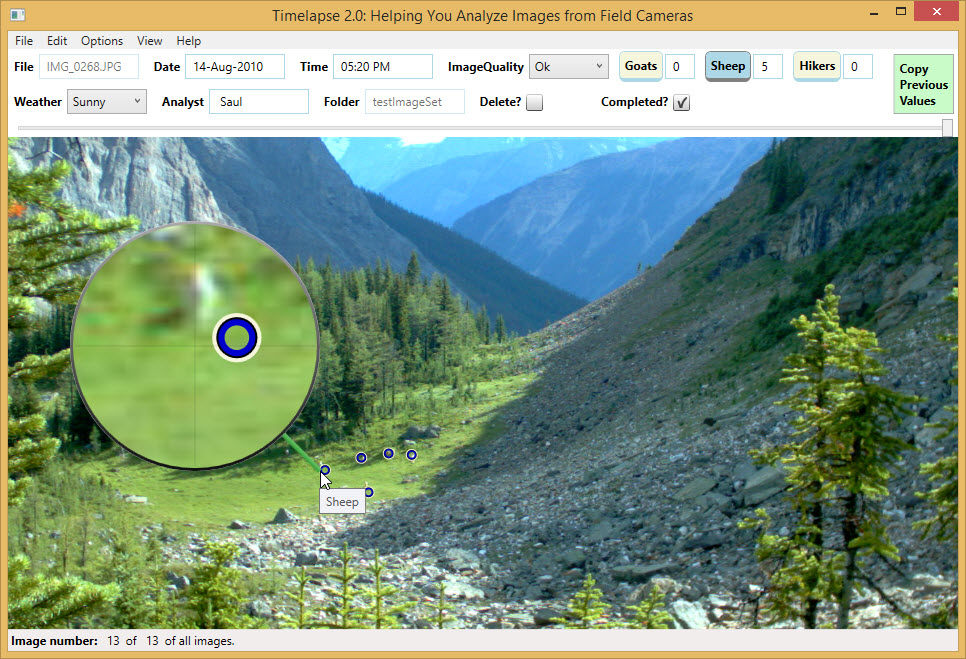
Timelapse is actively developed, open source (GitHub repo), and has comprehensive documentation. For in-depth information, refer to the following resources.
Installing Timelapse
Timelapse can be downloaded here. There are three different install methods. We recommend using the "1 MSI Per-User Installer (recommended for most)" unless there is some reason you need to use one of the other install methods.
Key Resources from the Timelapse Developers
-
📊 Timelapse practice image set
This is really useful as a template for building your own Timelapse project. -
-
QuickStart Guide (PDF)
A hands-on guide that walks you through loading, inspecting, and tagging a practice set of images and videos. -
Reference Guide (PDF)
Covers all available features in detail. Highly recommended for optimizing your workflow. -
Template Guide (PDF)
Explains how to create and manage templates using the Timelapse Template Editor. -
Metadata Guide (PDF)
This guide explains how to associate folder-level metadata with your image set and how to fill it in. It also includes several metadata standards. -
Image Recognition Guide (PDF)
This guide explains how to use the automated image recognition feature in Timelapse. -
Database Guide (PDF)
Details the internal database structure. Useful if you plan to access the database directly.
-
There are many more resources on the Timelapse homepage to explore as you become more familiar with the tool.