Introducing Incidents in GC Explorer
Based on your feedback, we are thrilled to announce a major enhancement to the Alerts Dashboard: the ability to create, annotate, and export Incidents.
What are Incidents?
In the Alerts Dashboard, an incident is a new way to group related information together. Often, an event on the ground isn't just a single data point; it's a combination of different alerts and field observations that sometimes span over a long period of time.
This new feature allows you to bundle these disparate pieces of information into one cohesive package. Importantly, creating an incident is completely non-destructive —it does not change or alter your original source data. You can think of it like creating a music playlist or a digital photo album: you are simply curating existing items into a specific, named group while the originals remain perfectly intact.
Seamless Grouping and Selection
We have designed the incident creation process integrated directly into your existing map view.
- You can group data entries together by selecting features directly on the map using tools like a bounding box, lasso, or by using shift-click to select multiple items.
- You can mix and match different types of data into a single group. For example, a single incident could be made up of one gold mining point and four monitoring corroboration points.
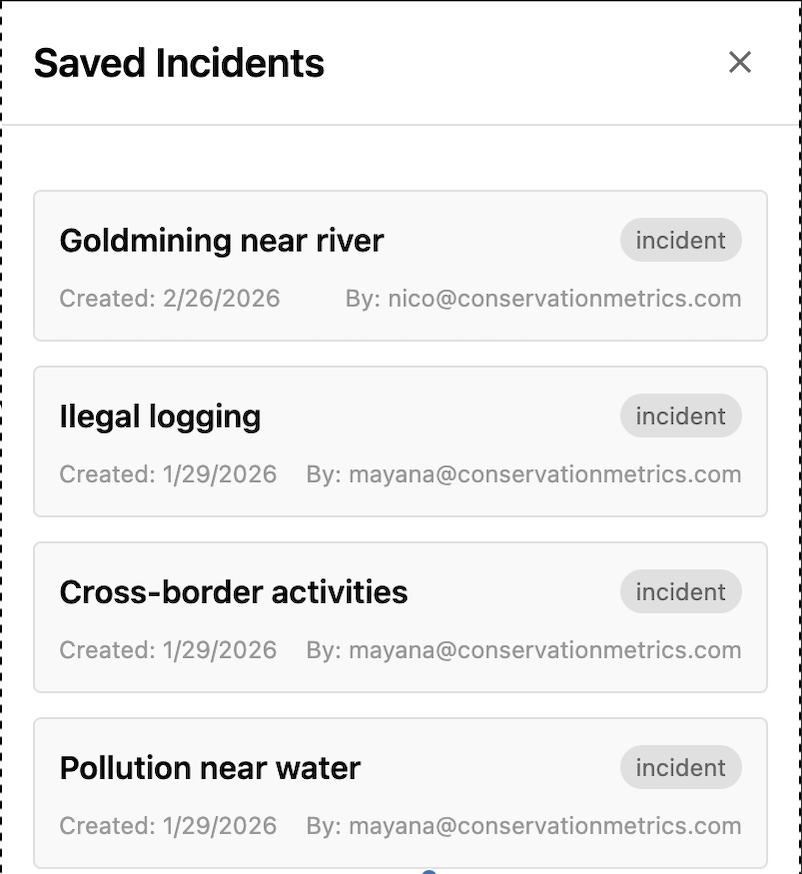
- Easy navigation: All your incidents are saved safely within the system. You can easily explore a list of everything you've created, click to activate one, or even copy a direct link to share a specific incident with your team.
Built-in Annotation and Detailing
Once you have grouped your map items, we've made it simple to add crucial context.
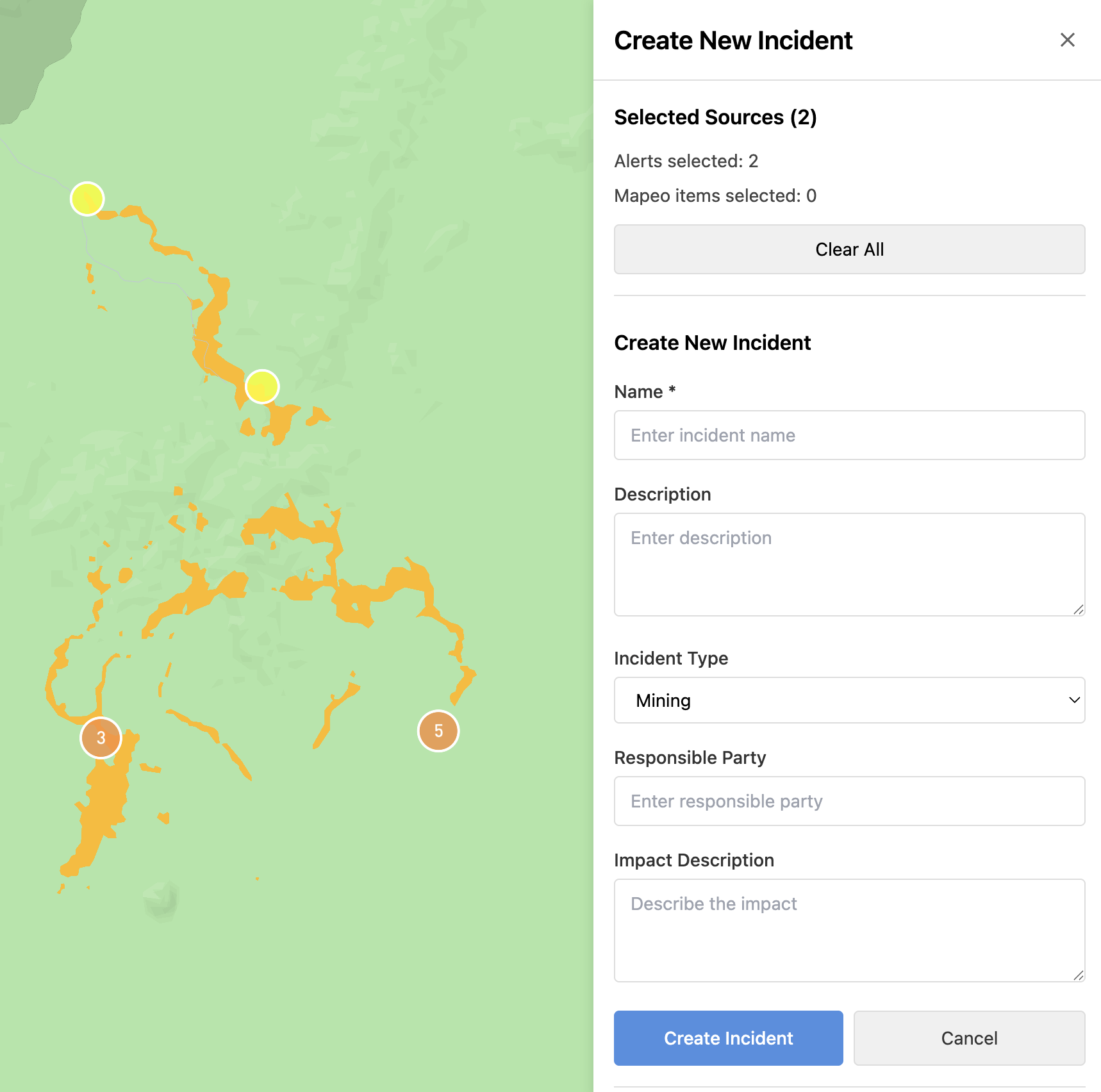
- Standardized sidebar form: A clean, standardized form will appear directly in your sidebar, keeping your entire workflow contained within GC Explorer without needing external tools.
- Comprehensive details: You can customize your incident by adding specific information, such as the incident name, the type of activity occurring, the responsible party, and a description of the impact.
We believe this new Incidents workflow will significantly enhance how you organize, analyze, and report on the vital data you collect.